Video Walkthrough
What are “relationships”
A way to create clearer relationships between suppliers in your setup and reflect complicated entity hierarchies. Fundamentally simply a link between two supplier with a name and rules as to how data should transfer between those two supplier Can be used to map out anything from parental relationships, UBO relationships, site relationships, sub-tier supplier relationships, and even to manage internal duplicates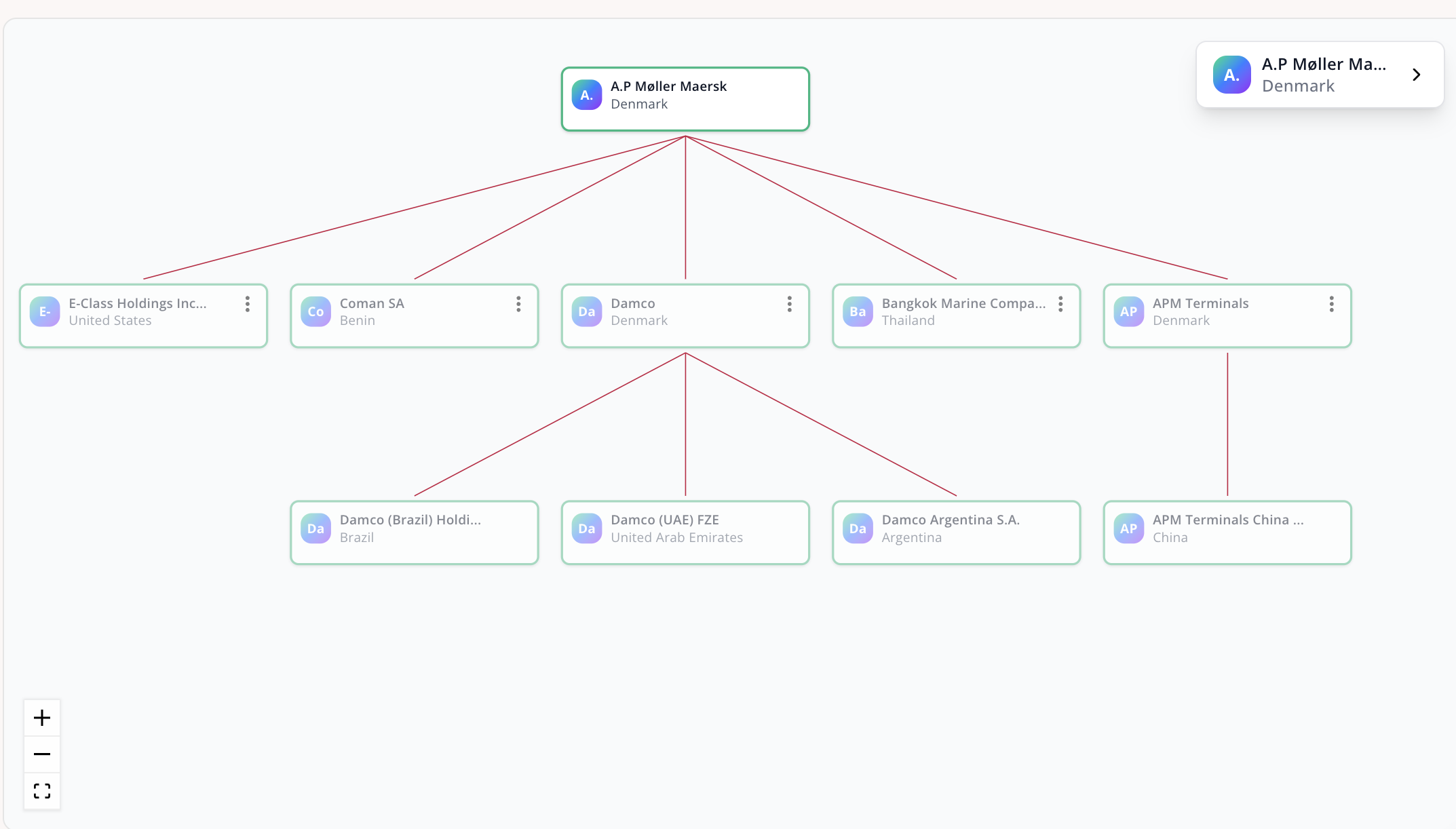
Relationship types
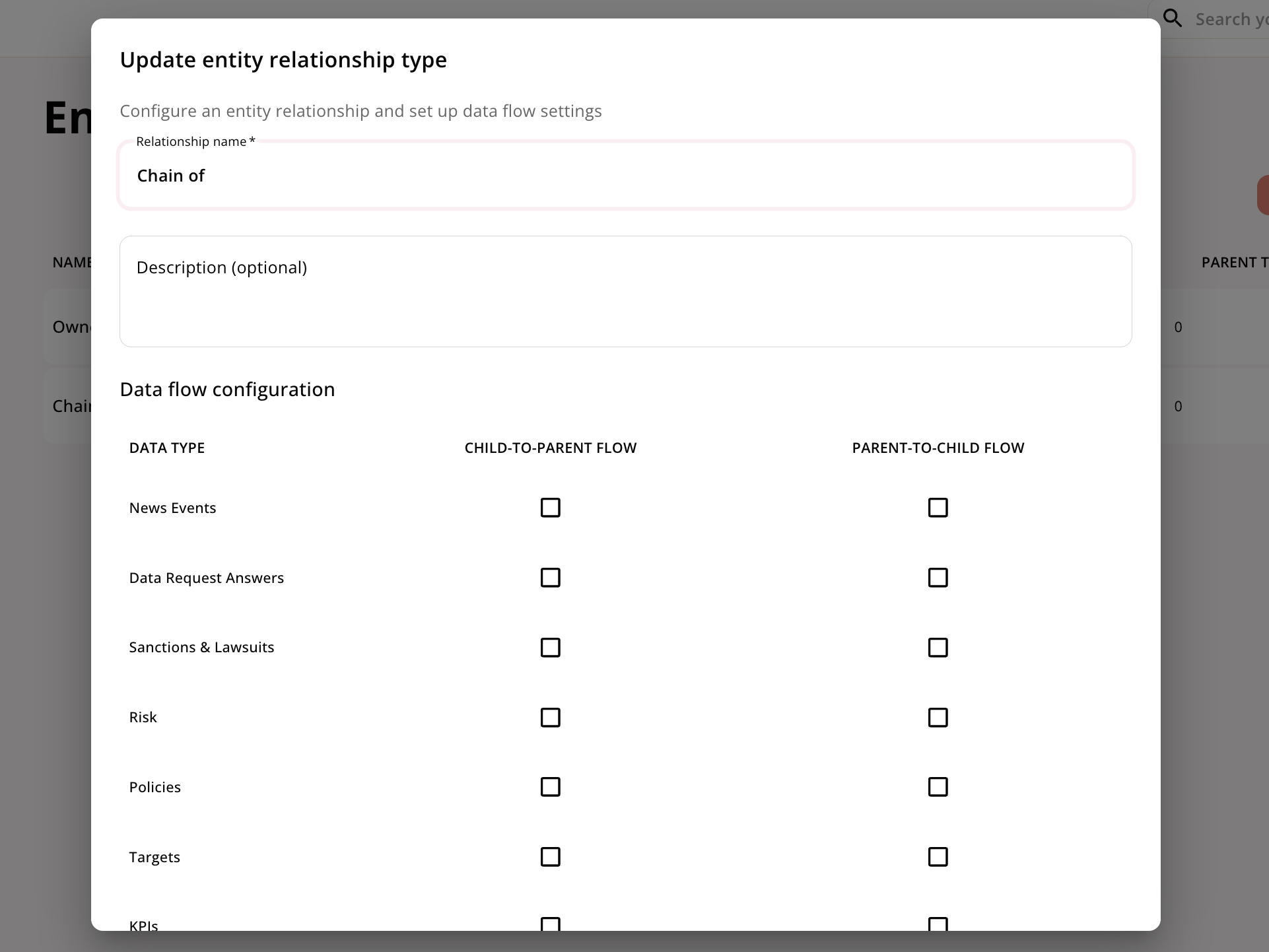
There can be different relationship between suppliers. E.g. in a subsidary relationship you may want the policies and emission reduction targets from the parent to be visible of the child, but you may not want the certifications on the child to be visible on the parent Therefore, you can define exactly how you want data to flow between two entities. Both what flows up (i.e. from the child to the parent) and what flows down (i.e. from the parent to the child). The following data types are possible to control:- News events
- Data request answers
- Sanctions & Lawsuits
- Risk
- Policies
- Targets
- KPIs
- Certifications
- Other accreditations
Automatically identified relationships
Responsibly automatically identifies and adds parent companies when relevant. When this is the case, we create a ‘system supplier’ to store parental data on, and flow relevant parental data to the child. This allows for clear separation of data, and can even be modified For more information on system suppliers see the Status section Responsibly is also extracting sub-tier suppliers from some files, like CMRT reports where a suppliers smelters are listedAdding a relationship manually
Some of our Customers have already mapped out certain sub-tier suppliers. These can easily be added to the tool, analyzed separately, and linked to the main supplier through the add relationship button
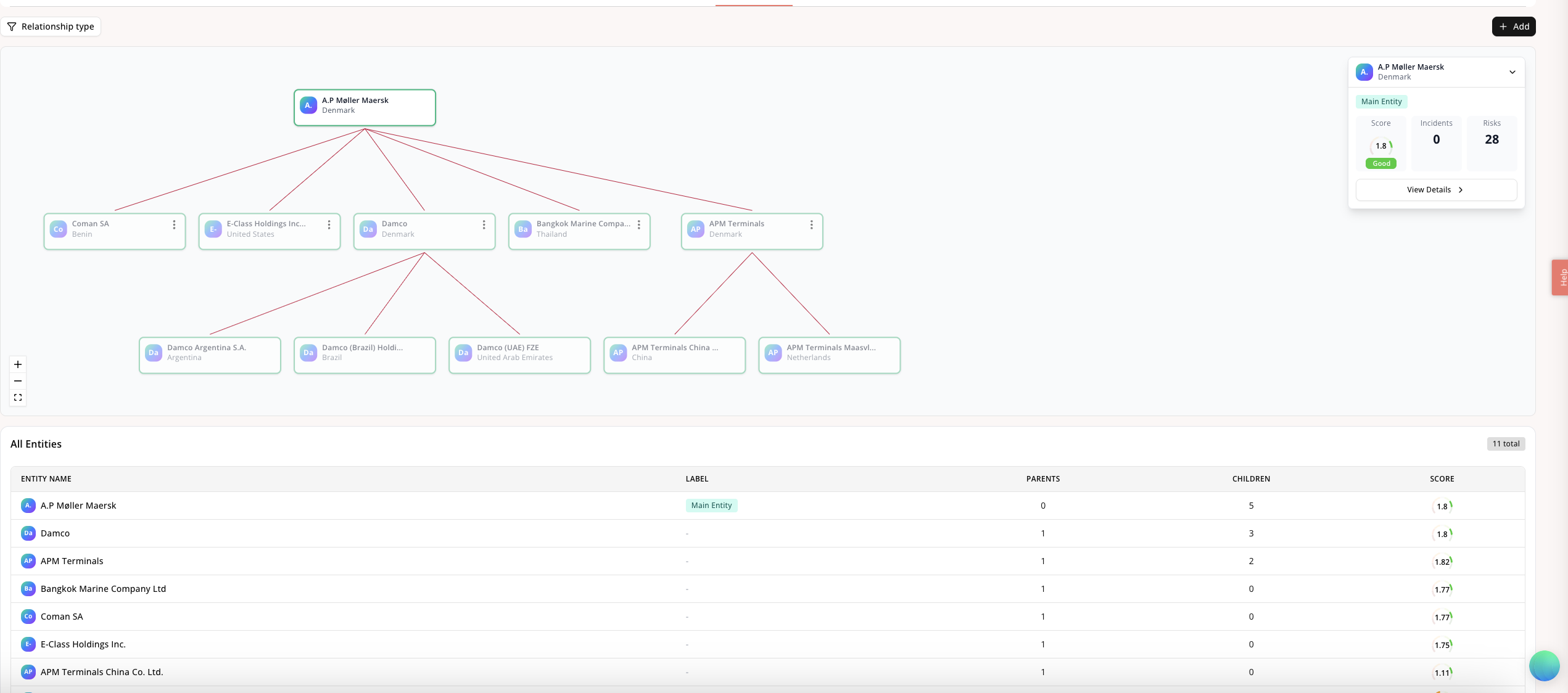
Suppliers ‘relationship’ page
On the ‘relationships’ tab of a main supplier, you can visualize all that suppliers relationships. You can filter for different types in the top left corner, and at the bottom of the page you can see a helpful table of all the related suppliers together with that supplier’s overall score. You can also click into any of the suppliers in the visualization to see risk and incident counts, and of course navigate directly to that supplier for more info